Apps · Flow
tas: option time and sales
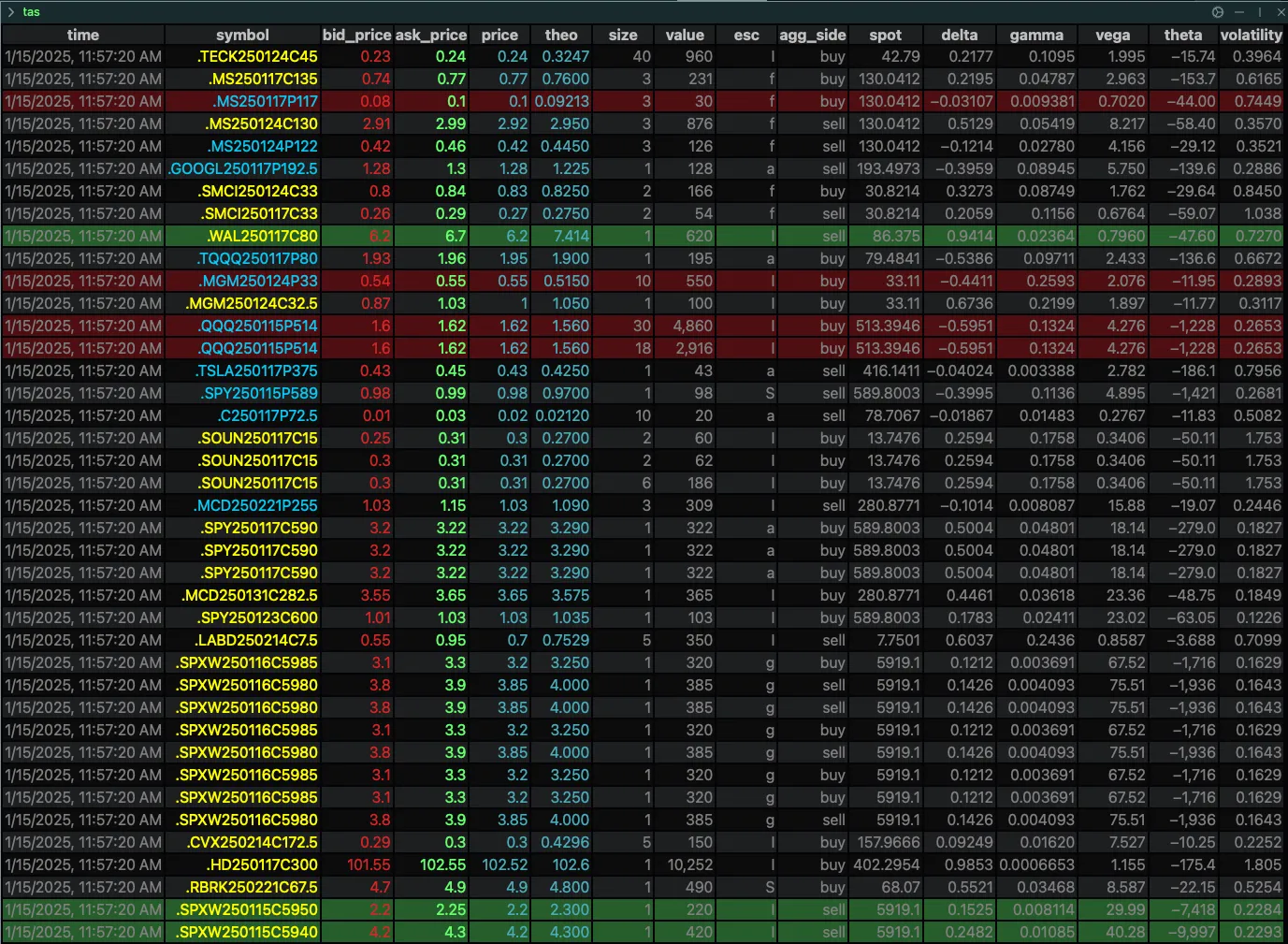
tas is the ConvexValue Terminal app that lists single option trades: the time and sales log. Each row is one trade, with its contract, price, the bid and ask at that moment, size, premium, the aggressor side and the greeks.
How to use tas
tas [param=value ...]
tas takes no symbol: it lists the trades of the whole market, or of the underlyings you name with roots=. Type the command in the command bar of a pane, or set the same parameters in the control panel (the ⚙️ at the right of the bar). In a browser, the app opens at convexvalue.com/go/tas/.
Parameters
| Parameter | Values | Default | What it does |
|---|---|---|---|
cols |
Time and sale parameters, separated by commas | time,symbol,bid_price,ask_price,price,theo,size,value,exchange_sale_conditions,aggressor_side,spot,delta,gamma,vega,theta,volatility |
The columns of the table. |
orderby |
One time and sale parameter | time |
The column that orders the trades. |
limit |
A whole number | 100 |
How many trades to show. |
asc |
t or f |
f |
asc puts the smallest value first. Without it the largest (or the newest) is first. |
roots |
Underlying symbols, separated by commas | none | Keeps the trades of those underlyings. |
symbols |
Contract symbols, separated by commas | none | Keeps the trades of those contracts. |
like |
Text, or several separated by commas | none | Keeps the contracts whose symbol contains the text. |
side |
buy or sell |
none | Keeps the trades of one aggressor side. |
filters |
Conditions, separated by commas: column>number, column<number, column=number |
none | Keeps the trades that meet every condition. |
day |
A whole number | 0 |
0 is the current session. 1 is one day back, 2 two days back. |
The columns are the Time and Sale Parameters of the Data Parameters page. The control panel lists them too.
Examples
The default: the latest 100 trades, the newest on top.
The largest trades by premium.
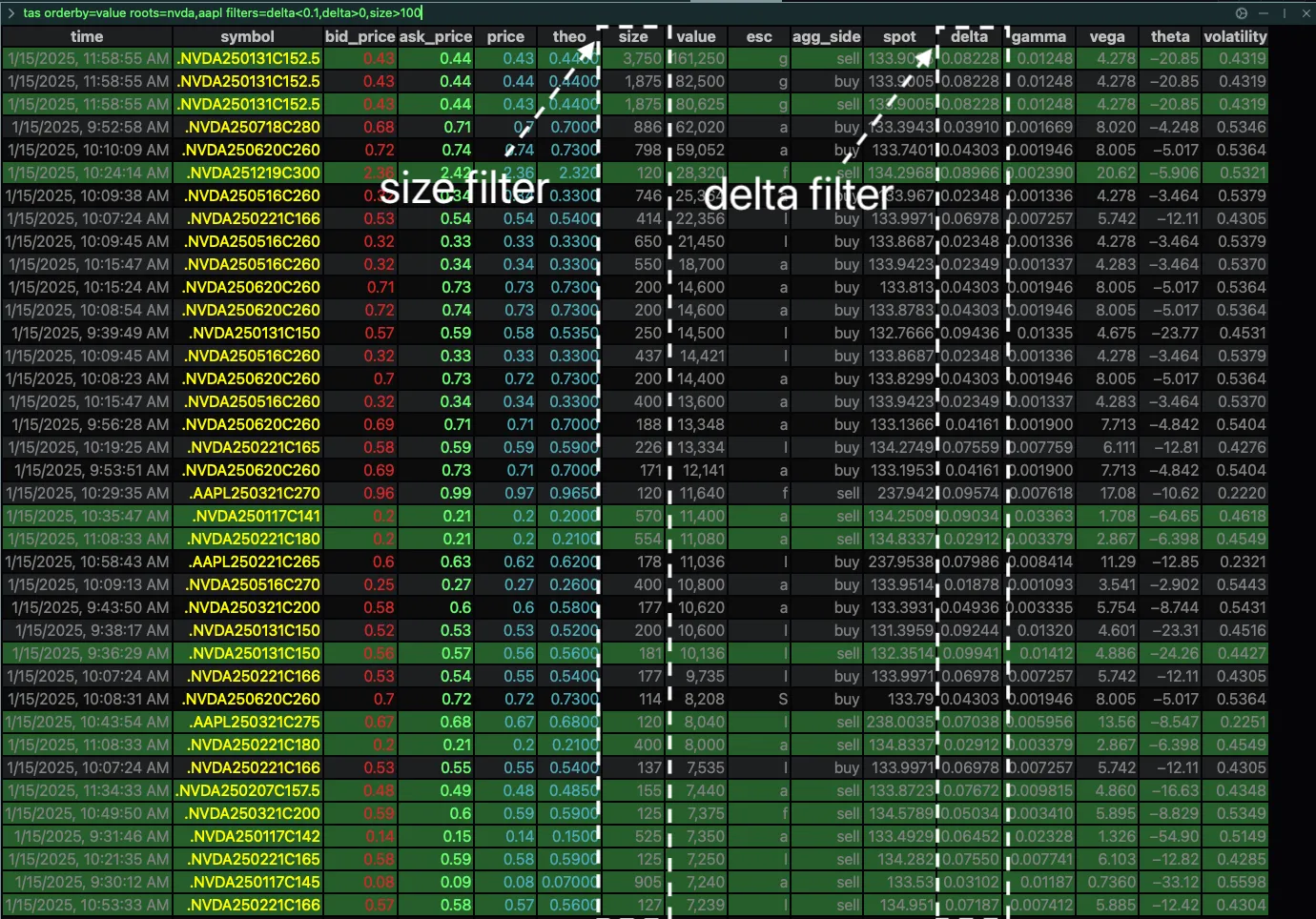
The largest trades of two underlyings.
Among them, the trades of more than 100 contracts with a delta between 0 and 0.1.
The 50 largest SPY trades where the buyer was the aggressor.
Five columns only, for a narrow pane of a dashboard.
How to read it
priceis the trade.bid_priceandask_priceare the quote at the moment of the trade, andtheothe theoretical price.sizeis the number of contracts.valueis the premium: price x size x multiplier.agg_side(theaggressor_sidecolumn) says who crossed the spread: BUY in green, SELL in red.escis theexchange_sale_conditionscolumn, the sale conditions of the data feed.spotis the price of the underlying at the moment of the trade.delta,gamma,vega,thetaandvolatilityare the contract's at that moment.- The symbol of a call and the symbol of a put have different colours.
- A row has a red background when a put traded at or above the ask, and a green one when a call traded at or below the bid.